

Hey all! For my first post, I wanted to go over all of my self-hosted infrastructure that I use for running my website (https://james.baby/) and the backend for my Roblox game The Library of Aletheia. I began with my website several years ago. Even though there are many free cloud providers for hosting static pages, I still wanted to explore hosting myself. After looking at the prices of AWS and the lower speed of cheaper providers, I wanted to host everything myself.
Starting Up: Raspberry Pi 3
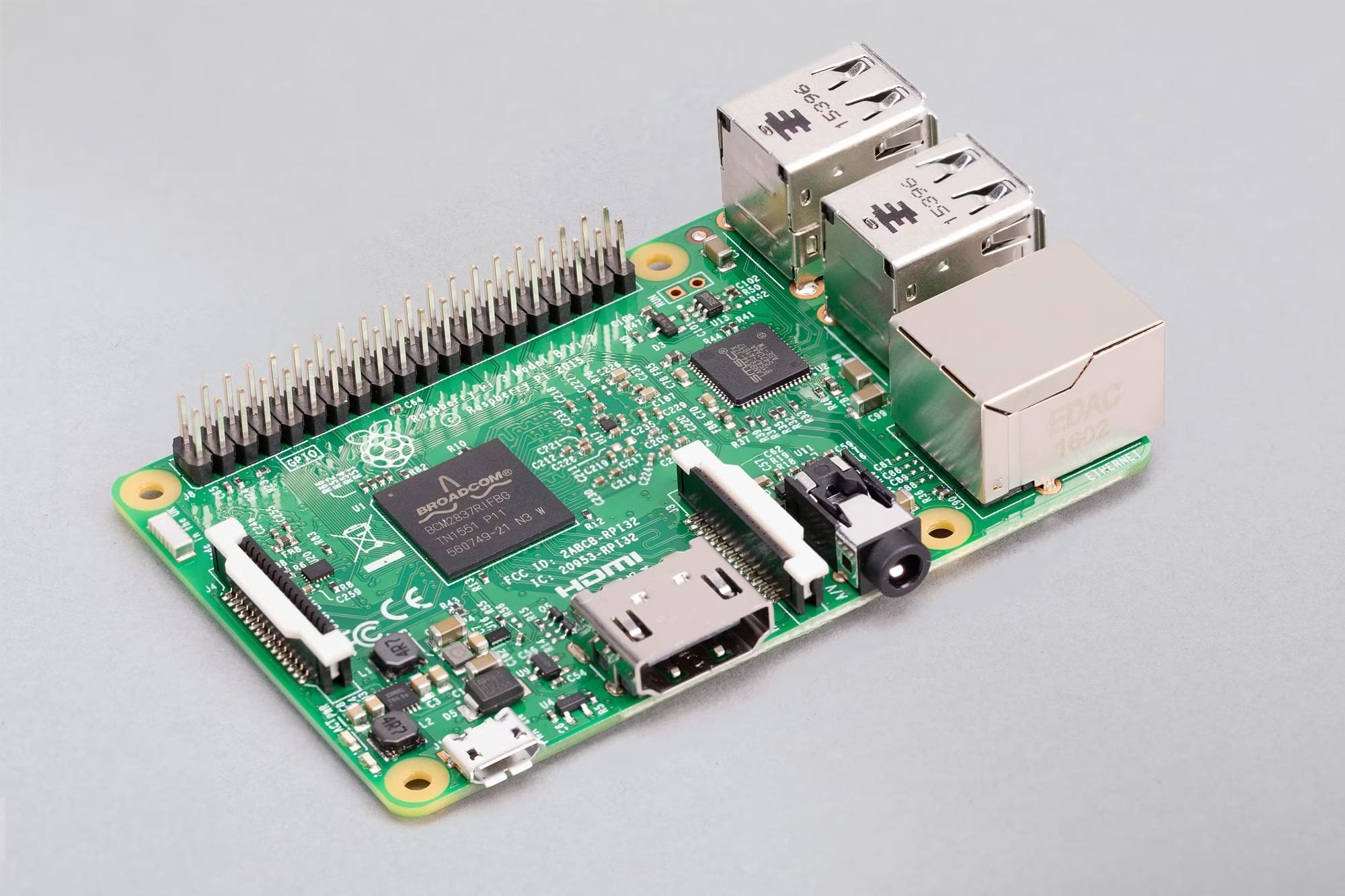
At the beginning I wasn't hosting much, just a simple website that could be cached (as no dynamic content was stored). This RPi still hosts my website at https://james.baby, but doesn't host anything else anymore. I needed something more powerful.
Game Backend Design
Around this time I created my Roblox game, and at the time I didn't have enough compute to run the backend completely locally. I chose Cloudflare Workers, which was fantastic at the beginning. It scaled well, however I started to encounter issues using a Cloudflare Key Value database. I was paying $60 per month for writing/reading too many times from the database and a lot of useless API calls to the worker. Cloudflare Key Value does not allow listing values of the keys besides getting each key individually.
When the game starts, it loads several hundred/thousand/hundreds of thousands of books. This is an issue because that means we need to GET every single value for every single book which results in thousands of API calls. This was clearly not the correct way to do it so I decided to re-write the whole backend.
I chose Node.js with express.js for the backend because it is relatively quick and easy to use. For the database, I chose a Postgresql database running on a single node.
Game Infrastructure: Raspberry Pi 5

I needed to upgrade from a Raspberry Pi 3 for this since I am handling hundreds to thousands of requests per minute. I chose a Raspberry Pi 5 with an active cooler and a 1tb NVME M.2 drive for the database. I set up the Postgres database, Directus as a DBMS (although only as an interface, my backend connects directly to the database for speed purposes), and the backend written in JavaScript.
This setup worked fantastic for awhile until the power went out or we lost internet, however these happen so rarely that it doesn't overly matter. I do want to get a UPS so it can survive power outages (at least for a little while), but as I said it really doesn't happen that often.
Eventually I noticed the CPU usage going up and the 8gb of RAM was completely full... I needed a new solution. I was running both our book search (using Typesense) and our backend on the Raspberry Pi, so I needed to move one of these off of the Raspberry Pi.
Mac Mini M1 16gb

This Mac Mini was fantastic for search. With a fast CPU and 16gb of RAM, it is able to run search quickly and efficiently. However, after a couple days, I noticed the Mac Mini was at around 10GB/16GB of RAM used, and with only a 256gb disk, I did not want to move the database and backend to this device.

A couple months later, I noticed that the RPi was ALREADY at max RAM usage again. Storing almost 300,000 books was not easy, especially if I wanted most of the database to be loaded into RAM for speed. At this point I realized it was time to invest into more computer, something bigger, faster, and more RAM than the rest of the devices I had, while still on a budget.
Dell PowerEdge R630
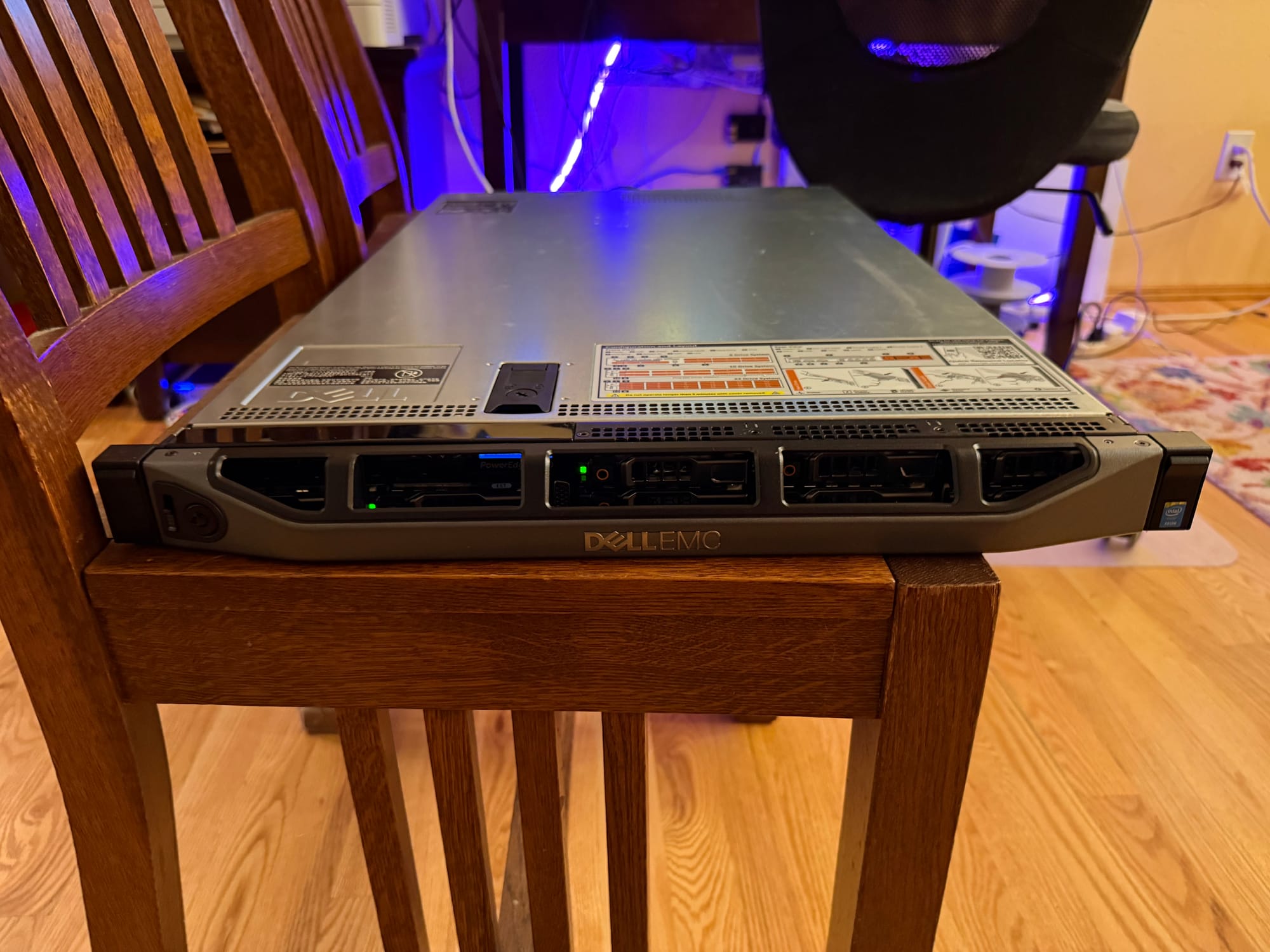
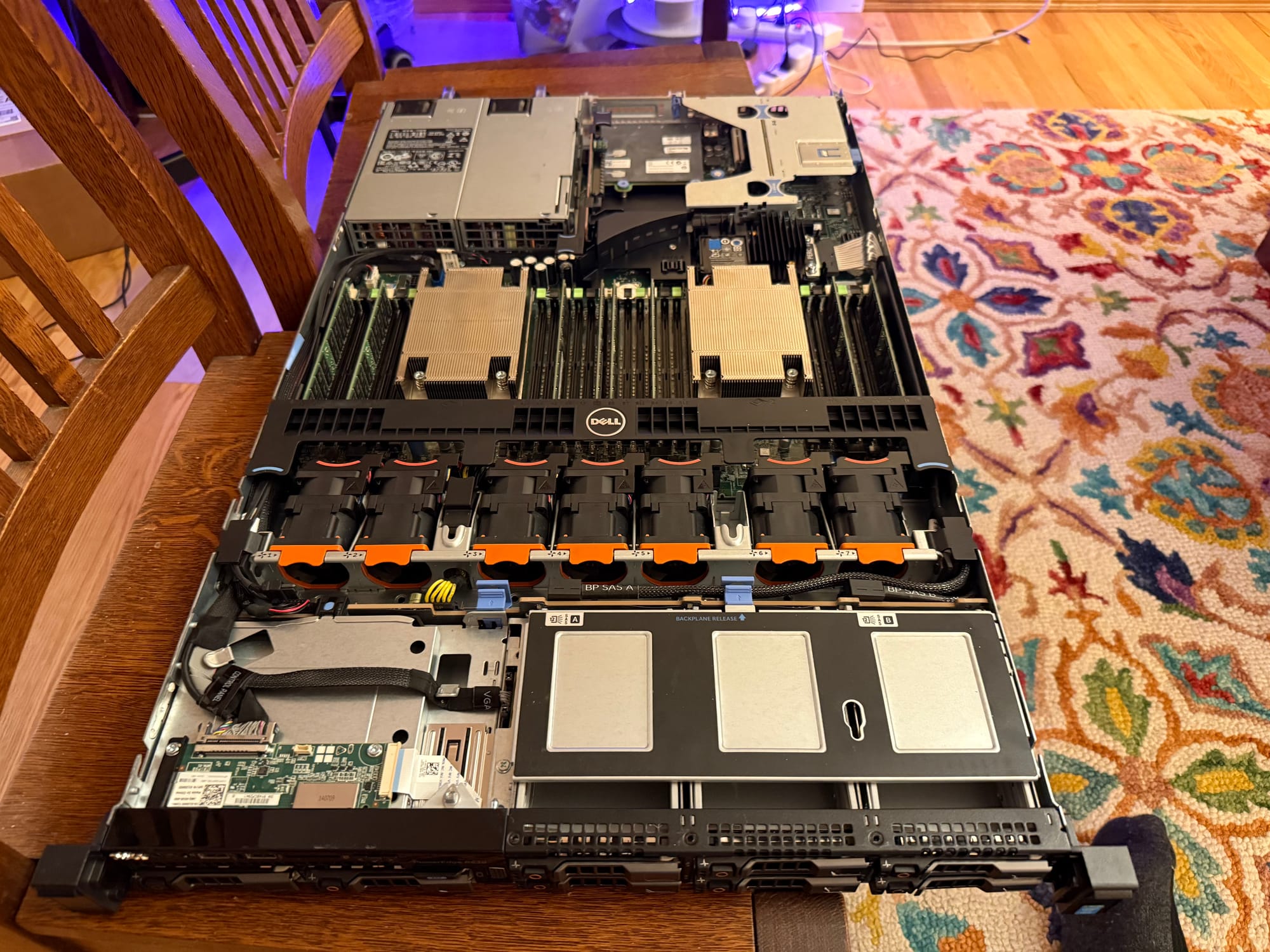
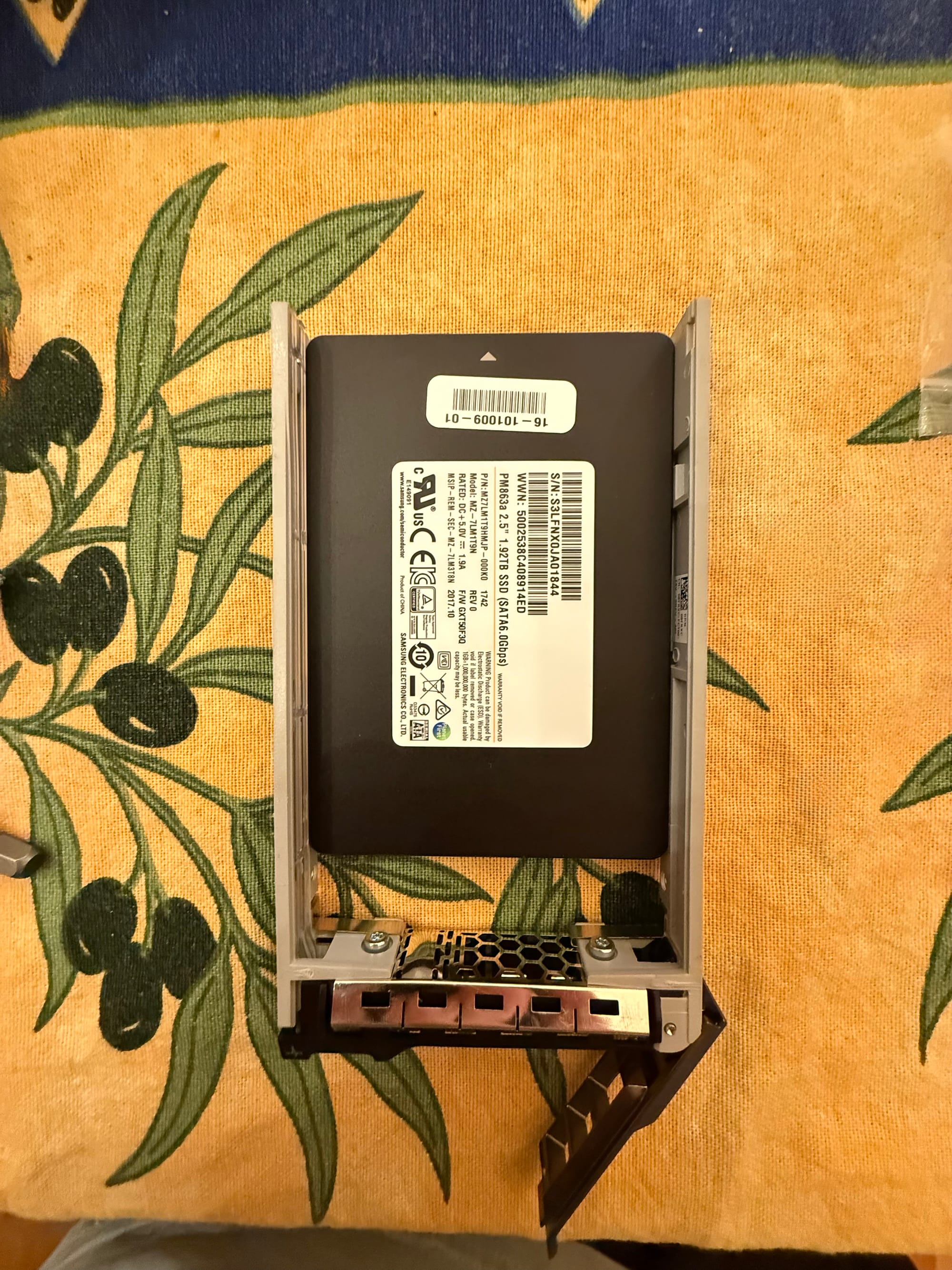
This Dell PowerEdge server has 128GB of DDR4 RAM and dual Xeon E5-2697v3 2.60Ghz 14-core CPUs (for a total of 28 cores, 56 threads). I found a deal for 1.92TB Samsung PM863a enterprise SSDs for $75 each and I purchased two of those for RAID-1 storage.
I installed Ubuntu Server 24 and started Postgres logical replication from the RPi to the server so it would automatically copy over all the data while I was preparing the backend on the server. I setup Postgres to use a large chunk of RAM to load all of the database into memory (only ~4gb loaded, even with 500k users, 300k books, and 100k comments). This significantly sped up read/write speeds. One issue we encountered was that someone on our team pushed a new version game before the server was completely ready, rendering search and some other features unusable for several hours since all traffic had been unexpectedly switched to the server. However there were no major side effects and everything turned out alright.
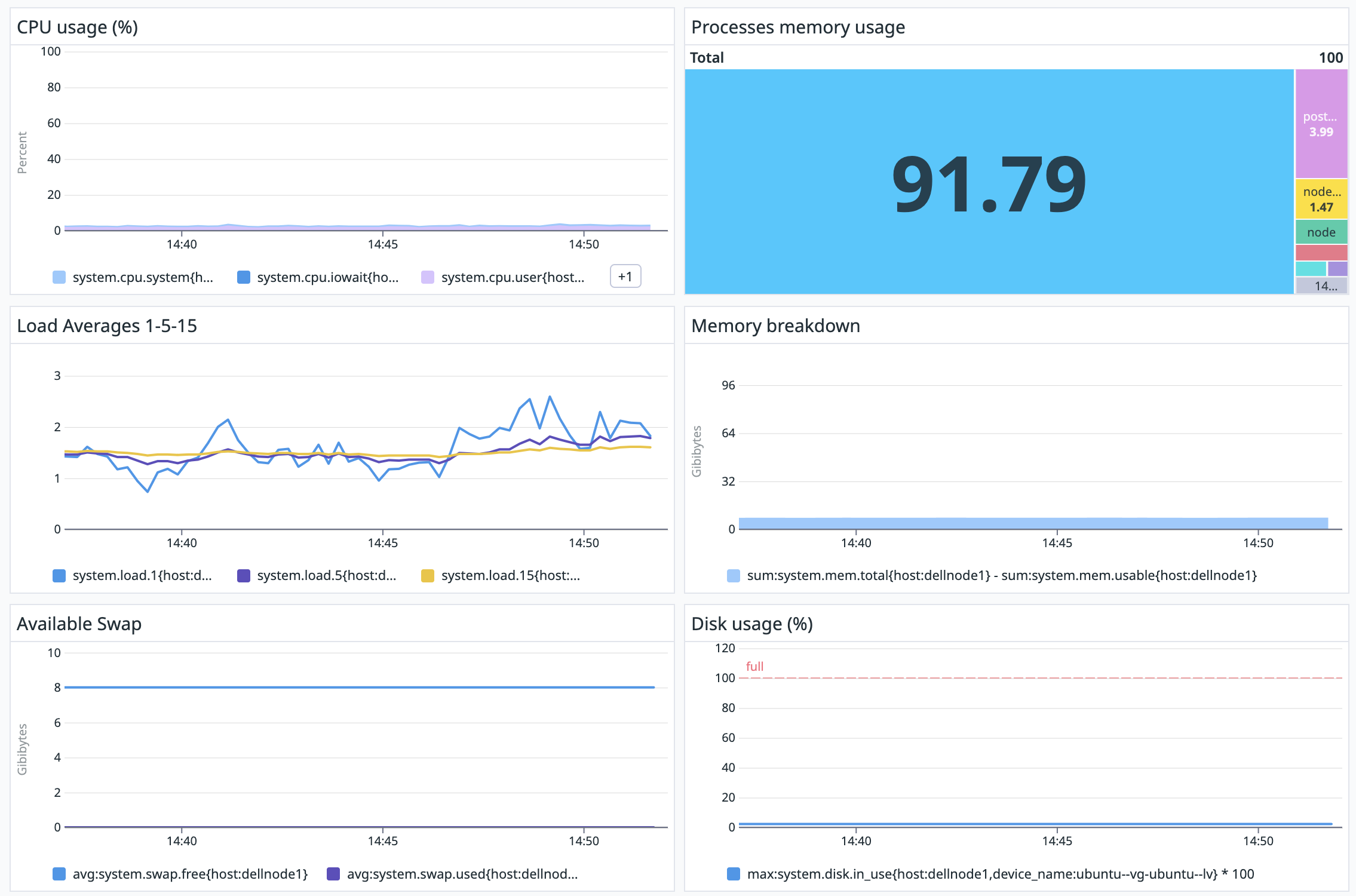
The server currently runs at ~3-4% CPU usage and ~8-10gb RAM even handling hundreds of requests per minute which is very surprising. The backend itself runs in cluster mode on 8 threads so any available threads can handle incoming requests. The database is quite fast, with fetching a book taking under 20 ms. All of our traffic runs though a Cloudflare tunnel so no ports are exposed, however this does affect speed a bit. In-game though, books load instantly.
I also developed a machine learning model for moderating book content and censoring particularly harmful phrases. After doing searches and contacting companies that charge ridiculous amounts for this service, I decided to build my own version which is free and highly effective (after tuning). I'll touch on this model in another post shortly. This model runs on the Raspberry Pi 5 still.
We recently also added an in-game notes system which lets users write notes that expire after a day. We were using Roblox's MemoryStore for this feature, but the whole database was limited to 100kb. We decided to transition to Redis which is now running in-memory on the PowerEdge as well, which provides sub-5ms response times from the database.
In short:
- The PowerEdge runs the backend, Postgres database, and Redis database.
- The Raspberry Pi 5 runs the moderation/censorship ML model.
- The Raspberry Pi 3 runs my personal website.
- The Mac Mini runs book search (Typesense) and monitoring (Prometheus & Grafana).
Thanks for reading, if you're interested feel free to subscribe! I will be writing more soon.